WhatsApp for Education: How Schools and Universities Use It (Groups, Calls and SMS Included)
See how schools use WhatsApp for education: admissions, notices, fee reminders, parent and project groups, plus SMS and calls. Set it up with 2Chat.

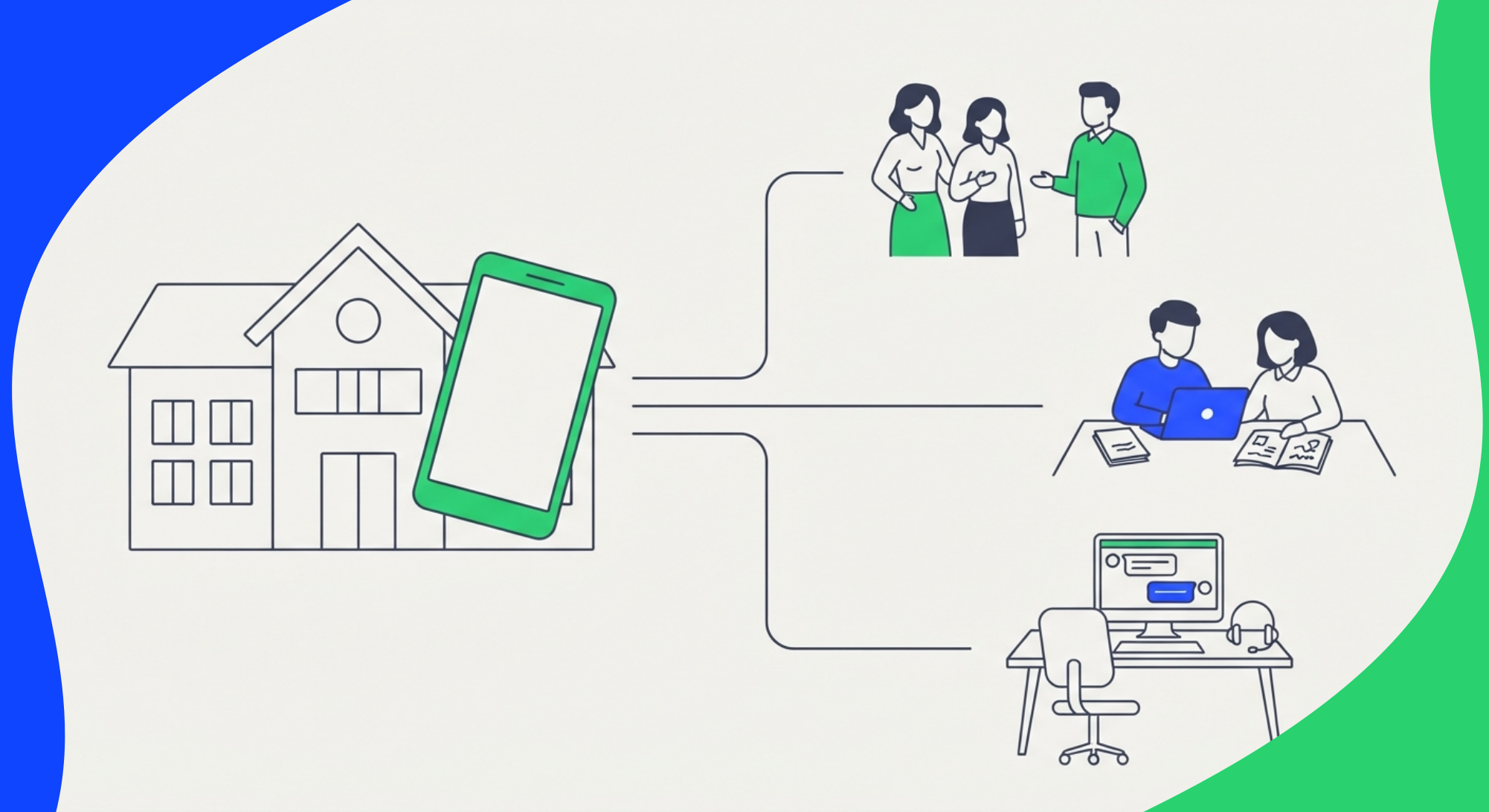
Using WhatsApp for education means giving your school an official channel, with numbers that don't belong to any teacher, to handle admissions, send notices and fee reminders, answer common questions, and run parent groups and project groups. It works best alongside SMS for families who don't use WhatsApp and a phone line that routes calls to the right department.
Why schools are moving to WhatsApp
Email is still the official channel at many schools, and important notices don't always get read in time. The note about parent-teacher night lands in an inbox full of promotions. The "no school tomorrow" notice gets read the next day. Parents, on the other hand, check WhatsApp all day.
So school communication is already happening on WhatsApp, whether anyone planned it or not. A teacher starts a class group from their own phone. The admissions coordinator replies from her personal number. The front office has a WhatsApp Business account on a phone that sits in a drawer all weekend.
When someone leaves, their conversations leave with them. Nobody can tell if a prospective family ever got a reply. There's also private contact between teachers and underage students from personal numbers. In South Africa, the Department of Basic Education is preparing guidance on teacher-learner communication over WhatsApp, EWN reported in September 2026. Ideas on the table include favoring group chats over one-on-one messages and moving away from teachers' personal accounts toward formal school channels.
Is WhatsApp good for schools and students?
Yes, as long as it's an official school channel with clear rules. Problems start when it's used with no structure.
An official channel looks like this:
- A number owned by the school, not by a person.
- Several staff members can answer it, each with their own login and permissions.
- Conversation history stays put when staff change.
- There are set hours for sending messages.
- Families opted in to hear from you there.
Without that, you end up with dozens of unmoderated groups, messages at 11 p.m. and student data scattered across personal phones.
6 ways to use WhatsApp for education
1. Admissions and enrollment
A family that asks about enrollment at 9 p.m. and hears back two days later has probably already talked to another school. A chatbot that answers right away (grades, tuition, deadlines, requirements) and hands off to an advisor when needed keeps that lead warm.
If you use HubSpot, the HubSpot integration logs every WhatsApp conversation in your CRM, so admissions sees each family's full history. You can also collect details with a WhatsApp form or web forms connected to WhatsApp.
2. Notices and announcements
Snow days, schedule changes, a reminder about the science fair. With WhatsApp bulk messaging you send the same notice to hundreds of families, personalized with each parent's name.
Here's what that can look like:
Hi Sarah, quick reminder: this Friday the 17th, elementary dismissal is at 12:30 because of the staff meeting. Questions? Just reply to this message.
3. Tuition and fee payment reminder messages
A fee reminder on WhatsApp usually gets read faster than an email from the business office. Send one a few days before the due date and another on the day itself. Three payment reminder message examples you can adapt:
Before the due date:
On the due date:
Overdue:
If you send them through the WhatsApp Business API, each one needs to be an approved template (more on that below). If you already use a payment provider, see how to connect WhatsApp notifications to your payment process.
4. Automatic answers to common questions
Bell schedules, uniforms, exam dates, how to request a transcript. Most of what the front office hears repeats every week. A FAQ chatbot answers at any hour and leaves your staff the questions that actually need a person. Here's how to build a FAQ bot on WhatsApp.
5. Campaigns by time zone
Online academies and universities with international students have an extra headache: a notice sent at 9 a.m. in New York lands in the middle of the night in Manila. In 2Chat each campaign has its own time zone, sending speed and sending windows, so messages arrive at a sensible hour for every group.
6. Phone calls with an IVR
Plenty of parents still call, especially about billing or one-off problems. With an IVR (an automated phone menu, the "press 1 for admissions, 2 for the business office" kind) every call reaches the right team without going through reception. In 2Chat you can build an IVR in a visual editor.
WhatsApp groups and Communities for your school community
Groups are one of the most common ways schools use WhatsApp. They're also what causes the most trouble when nobody organizes them.
WhatsApp Community vs group: what's the difference?
A WhatsApp group is one conversation where every member can post (unless admins restrict it). A WhatsApp Community is a feature that brings several groups together under one name, with an announcement group where only admins post and every member of the Community receives the message.
For a school, a Community usually fits better: an announcement group for official notices and smaller groups by class, program or activity. WhatsApp sets the limits on members and groups per Community and changes them from time to time, so check its help center before you plan the structure.
Parent groups: WhatsApp group rules for schools
Every school has a parents' WhatsApp group, and most of them end up flooded with stickers, chain messages and arguments that don't belong there. Pin the rules in the group description. Here are 10 WhatsApp group rules examples you can copy:
- This group is for class topics only.
- No sales, promotions or chain messages.
- Official notices come through the Community announcement group, not here.
- Anything about one specific student goes to a private message with the school.
- Messages between 7 a.m. and 8 p.m. on weekdays.
- No photos of other people's children without their parents' permission.
- Be respectful. Disagreements with the school go to the school, not the group.
- Check the pinned messages and description before asking about dates.
- Keep stickers, memes and voice notes to a minimum.
- Admins can remove messages or members who break these rules.
Each group should have at least one school admin, using a school number rather than a personal one. A short welcome message for the WhatsApp group helps set the tone from day one:
Welcome to the 3rd grade A parents' group at [School name]. This group is for class topics, Monday to Friday, 7 a.m. to 8 p.m. Please read the rules in the group description. For anything about your child, message the school directly at this number.
Communities by department, graduating class or alumni
At a university, a Community per department or graduating class keeps communication in order. It also works for alumni networks, which tend to lose their admin when the staff member who started them leaves. Here's how to create a WhatsApp Community:
- In the app, open the Communities tab and tap New community.
- Add a name, description and photo.
- Add existing groups or create new ones inside the Community.
- Use the announcement group for school-wide updates.
The layout differs a little between Android, iPhone and desktop, but the flow is the same.
Groups for academic and research projects
Research projects, team theses, capstones and lab groups often run on WhatsApp. When your school manages lots of these groups, doing it by hand gets old fast. With 2Chat's WhatsApp group management you can:
- See every group your number belongs to, with its members.
- Export a group's participants to Google Sheets or to Excel, for example to check them against the official class roster.
- Track who joins and leaves a group in a spreadsheet.
- Create groups, add or remove members and promote admins through the API, or with Zapier, Make and n8n. Handy if you open dozens of project groups every semester.
- Mirror a group in a Slack channel, with messages synced both ways, so faculty can follow a project without living on their phones.
To track activity across many groups, you can also build a WhatsApp group dashboard in Looker Studio.
One announcement, many groups
The exam week schedule, the semester calendar, a PDF with instructions. From 2Chat you send messages and files to your groups without touching a phone. When you need the same announcement in lots of groups at once, a spreadsheet is the easiest route: here's how to send messages to multiple WhatsApp groups from Google Sheets. You can also automate it through the API.
One number per department or project: virtual numbers for calls and WhatsApp
When there aren't enough school numbers, everyone uses their own. A virtual number fixes that without buying phones or SIM cards.
What a virtual number is and what it includes in 2Chat
A virtual number is a phone number that runs in the cloud, with no SIM card. With 2Chat you can get virtual phone numbers in 90+ countries, local, mobile or toll-free depending on the country. Each number comes with:
- Calls with cloud phone system features: routing, IVR, extensions, recording and transfers.
- WhatsApp on most numbers. Check that the number you pick supports it before you buy.
- SMS on many local and mobile numbers, depending on the country and number type.
Some countries require documents before a number goes live. Check the requirements by country first.
How schools can use them
- Admissions: a dedicated number for your website, ads and college fairs.
- Business office: a number for tuition and billing, separate from academic questions.
- Academic coordination: the number teachers use to reach families instead of their own phones.
- A project, conference or exchange program: a temporary number you drop once it's over.
- International recruitment: a local number in the country where you're recruiting, so students don't have to text a foreign number.
The number belongs to the school, not the person
The number lives in 2Chat's shared inbox. Several people answer it from their own logins, you can assign each conversation to the right person, and when someone leaves, the number and its full history stay.
For the step-by-step, see how to get a virtual phone number, how to get a virtual number for WhatsApp and how to activate a business account with a virtual number on 2Chat. Want to keep the line you already have? You can connect it with call forwarding, no porting needed.
WhatsApp chatbot for education: an admissions chatbot template
A chatbot for education doesn't need to be complicated to be useful. Here's an admissions chatbot template you can build in 2Chat's visual editor as a decision tree. It's written for a K-12 school; for a college admissions chatbot, swap grades for programs and add steps for application deadlines and financial aid.
- Greeting: "Hi, I'm the admissions assistant at [School name]. Which grade are you interested in?" with options: Pre-K, Elementary, Middle School, High School.
- Grade info: the bot sends tuition, schedules and enrollment dates for that grade.
- Common questions: a menu covering transportation, uniforms, financial aid and after-school programs.
- Family details: parent name, student's age and start year. Flow variables store each answer.
- Handoff: if the family asks for a tour or a call, the conversation goes to the admissions team.
- CRM entry: the details land in HubSpot for follow-up.
For campus tours or interviews, add a booking step. Here's how to build a WhatsApp chatbot for appointment booking. And to send leads to your CRM automatically, see WhatsApp lead capture to HubSpot.
Start with what you can do with 2Chat flows.
WhatsApp, SMS or phone calls: which channel for what?
Some families don't use WhatsApp, some phones have no data plan, and some topics are easier to sort out on a call. SMS text messaging for schools covers the first two, and a phone line with an IVR handles the third.
In 2Chat all three channels live in one platform, with each family's history in a single timeline. You can add an SMS channel right next to WhatsApp. More on SMS for schools and businesses.
WhatsApp Business app or API: what does a school need?
There are two ways to connect WhatsApp to a platform like 2Chat. Once you're messaging hundreds of families, you'll want the second.
WhatsApp Business app connected by QR code. You connect the number you already use, just like WhatsApp Web, and your team answers it from a shared inbox. It's the fastest way to start.
WhatsApp Business API. The official version for organizations that send at volume. It runs on a 24-hour window. If a parent messaged you in the last 24 hours, you can reply freely. Outside that window, you need a Meta-approved template to start the conversation, like a fee reminder or a closure notice. In 2Chat you can create WhatsApp Business API templates and send them to segmented audiences.
If you plan to send bulk notices often, look at the WhatsApp Business API and what it costs.
Best practices: consent, privacy and send times
- Get consent on your enrollment form. More on phone validation and consent.
- Message parents, not minors. If your students are minors, review your privacy obligations (in the US, FERPA and state laws) with your school's legal team.
- Set sending hours so campaigns don't go out at night or on weekends.
- Use role-based access. In 2Chat each user or team only sees the conversations that are theirs, and each family's history stays in one timeline.
How to set up WhatsApp for your school with 2Chat
- Get a number. Buy a virtual number from Channels > Virtual Number, or connect the number you already have. You'll need an active 2Chat plan.
- Turn on WhatsApp for that number. Follow the guide to activate WhatsApp with a virtual number.
- Add SMS and voice. Add an SMS channel and set up the IVR for incoming calls.
- Build the chatbot. Create your admissions or FAQ flow in the visual editor.
- Invite your team. Give admissions, the business office and academic staff access, each with their own permissions.
- Launch your first campaign. Create a bulk message campaign from Campaigns > New Campaign, with its own time zone and sending hours.
- Tidy up your groups. Review the groups your number belongs to and decide who admins each one.
See how it would work at your school with 2Chat for education or check out 2Chat plans.
FAQ
- Can a school use WhatsApp for free?
The WhatsApp Business app is free and works for getting started on a single phone. Once several people share one number, or you want chatbots and bulk messages, you need a platform like 2Chat. With the API, Meta also charges for template messages. - WhatsApp group or Community: which is better for parents?
For one class, a group is enough. For a whole school, a Community works better: an announcement group for official notices, where only the school posts, plus smaller groups by class. - Can teachers message families without using their personal number?
Yes. The school can give them access to a school number in 2Chat. The teacher writes from their own login, families see the school's number, and the history stays with the school. - What is the 24-hour rule on WhatsApp?
It's a WhatsApp Business API rule. For 24 hours after someone's last message, you can reply freely. After that, you can only start the conversation with a Meta-approved template. - Can I send a notice to hundreds of families or many groups at once?
2Chat campaigns send a personalized message to a contact list, with time zone and sending hours. For groups, you can send the same announcement to many groups from Google Sheets or through the 2Chat API. - Can WhatsApp connect to our admissions CRM?
With HubSpot, the integration logs WhatsApp messages and calls on each contact record. With Zapier, Make or n8n you can connect it to other systems too.