WhatsApp for Real Estate: How to Answer Every Lead on WhatsApp, SMS and Calls
WhatsApp for real estate, explained: answer leads in seconds, book viewings with bots, add SMS and calls, and copy ready-made templates. Try 2Chat free

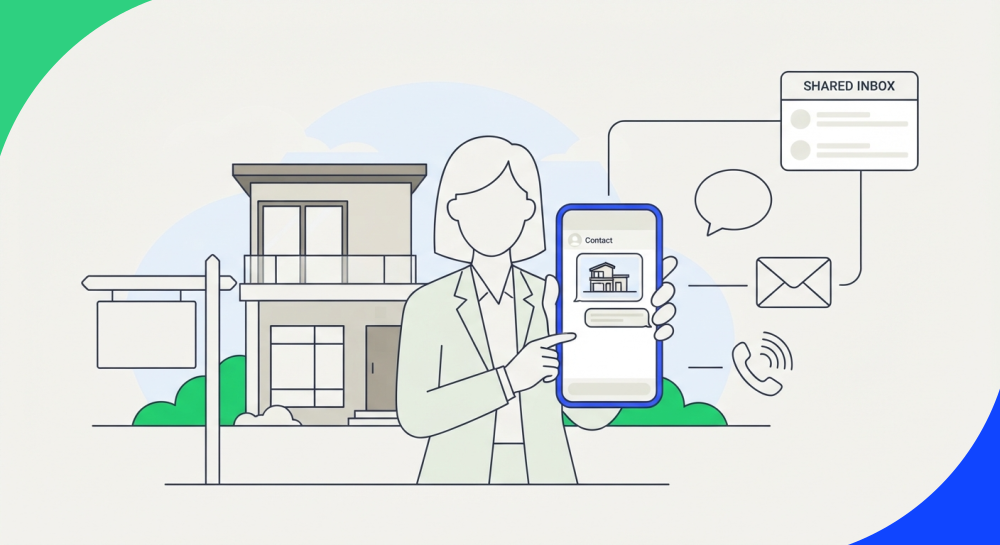
WhatsApp for real estate means running your lead conversations on WhatsApp: you answer new inquiries in seconds, qualify buyers with a chatbot, send property listings and book viewings, all in one chat. It works best alongside two other channels. SMS reaches the people who don't use WhatsApp, and a real phone line catches the buyers who'd rather talk. Put the three together and you stop losing leads to whichever agent answered first.
Below you'll find the use cases worth setting up, when to switch to SMS or a call, the WhatsApp Business API rules that trip teams up, and message templates you can copy today.
Why WhatsApp for real estate works (and where it doesn't)
Buying a home isn't one message. It's dozens: photos, floor plans, "is there parking?", viewing times, a scanned ID, a counteroffer. WhatsApp handles that kind of back and forth well. Your buyer already has it open, and one thread can hold images, video, voice notes, PDFs and a location pin.
In Latin America, Spain, the UK, India and the Middle East, it's often the channel clients expect. Someone browsing a portal at night will tap the WhatsApp button long before they fill out a contact form.
It has limits, though:
- Not every lead is on WhatsApp. Plenty of buyers still answer a text or a call first.
- You can't message first whenever you want. Contacts have to opt in, and once the 24-hour window closes you need an approved template (more on that below).
- One phone doesn't scale. Three agents sharing a number on one handset means lost chats and nobody sure who replied to what.
So the teams that grow stop treating WhatsApp as somebody's phone. They treat it as one channel in a shared inbox, sitting next to SMS and calls.
Speed to lead: why the first reply decides who gets the viewing
Speed to lead is the gap between a buyer's first message and your first useful answer. In real estate, it's often the difference between a booked viewing and a polite "thanks, I already found something."
This isn't new. A Harvard Business Review study on the short life of online sales leads concluded that "most companies are not responding nearly fast enough." Property is no exception.
Picture a Sunday afternoon. A buyer messages five listings. One agent replies in two minutes with the answer and a viewing slot. The others reply Monday. Who gets the conversation?
You can close that gap without hiring:
- Send an instant first reply. A chatbot greets the lead, confirms the property and asks one or two qualifying questions.
- Route it. The chat goes straight to the agent who covers that area, property type or language.
- Cover the night shift. A lead that writes at 10 p.m. still gets an answer and a slot for tomorrow. This guide shows how to capture leads after hours with WhatsApp automation.
7 ways real estate teams use WhatsApp
1. Reply to portal and ad leads instantly
Leads arrive from portals, your website, yard signs and Facebook or Instagram ads that open a WhatsApp chat. Point all of them to one business number connected to a shared inbox. Whoever's free answers, and the whole history stays in one place, which also tells you which lead generation source is actually producing buyers.
Create a click to Whatsapp button in your real estate website and allow customers to start a conversation with a click
2. Qualify buyers with a WhatsApp chatbot for real estate
Every agent asks the same questions. Buy or rent? Budget? Which neighborhoods? How many bedrooms? When do you want to move? Do you need financing? A real estate chatbot can ask them for you.
With decision-tree bots (flows with branching options and variables), buyers tap answers instead of typing paragraphs. Your agent picks up a lead that's already qualified. For open-ended questions, an AI agent can answer from your own information and hand off when a human is needed.
Keep it short. Three to five questions is plenty, and "talk to an agent" should always be one tap away.
3. Send property listings, photos and virtual tours
Skip the link to your entire catalog. Send the three homes that match what the buyer just told the bot: photos, price, a two-line description, the location pin and the virtual tour. And because it's WhatsApp, they'll forward it to their partner before you've put the phone down.
4. Book viewings and send appointment reminders
Let buyers pick a slot inside the chat. Then send a confirmation, plus a reminder the day before. A no-show costs an agent an hour. A reminder costs nothing. To automate the whole thing, see how to build a WhatsApp chatbot for appointment booking.
5. Follow up after the viewing
Most deals don't close on the first visit. A short note the next morning keeps things moving: "What did you think of the kitchen? Want to see the second option on Saturday?" If your week is packed, schedule your WhatsApp messages so real estate lead follow up doesn't depend on someone remembering.
6. Announce new listings to opted-in contacts
A new three-bedroom just came in? Tell the buyers who asked for exactly that. But only the ones who agreed to hear from you, so ask for that permission in your first conversation. Here's why consent and number validation matter for WhatsApp marketing.
7. Collect documents and send payment reminders
Rental applications, IDs, proof of income and signed forms can all arrive as files in the chat. For property managers and developers selling off-plan, WhatsApp also covers payment and installment reminders, sent as approved templates.
When SMS works better: real estate text message marketing
In the US, texting is still the default, and real estate text message marketing reaches people who never open WhatsApp and this applies also all over the world. SMS for real estate makes the most sense when:
- A form only captured a phone number and you don't know if the lead uses WhatsApp.
- You sell to buyers in the US or Canada, where a text feels normal and a WhatsApp feels foreign.
- The message is short and universal: a viewing reminder, an open house address, a "can I call you?".
Mind the rules. In the US, business texting generally requires prior consent, and texts from local numbers need 10DLC registration (the system carriers use to approve business messaging). Run your campaigns past your legal team first.
2Chat SMS messaging lets you send and receive texts from your business numbers in the same inbox as WhatsApp. An agent can switch channels mid-conversation without losing the thread, and campaigns can be scheduled by time zone when your leads are spread across regions.
Calls still close deals: what a real estate phone system should do
Some things need a voice. Negotiating an offer. Calming a nervous first-time buyer. Walking someone through a mortgage step. A good real estate phone system does more than ring a single phone:
- Local numbers. People answer, and call back, numbers from their own area code. 2Chat offers local, national, international and toll-free virtual numbers.
- Smart routing. Calls reach the right agent by time of day, the number dialed or an IVR menu (the "press 1 for sales, 2 for rentals" kind).
- One timeline. Calls, WhatsApp chats and texts with the same contact sit together, so no buyer has to repeat their story.
Teams searching for a real estate answering service usually want one outcome: no missed calls. IVR and routing cover office hours. An AI voice agent can take the rest, and this tutorial shows how to create an AI voice assistant with 2Chat and ElevenLabs. The full feature list is on the 2Chat cloud phone system page.
WhatsApp Business app vs. WhatsApp Business API for real estate
A solo agent can live with the free WhatsApp Business app. A team usually needs the WhatsApp Business API, also called WABA. Here's how they compare:
Two rules catch most teams off guard:
- The 24-hour customer service window. According to Meta's WhatsApp Business Platform documentation, a 24-hour timer starts when a user messages or calls you and resets each time they write again. While it's open, you can reply freely. Once it closes, you can only send pre-approved templates.
- Templates come first. Viewing confirmations, new listing alerts and payment reminders are submitted to Meta before you can send them.
Want the full breakdown? Read the difference between WhatsApp, WhatsApp Business and WhatsApp Business API. For pricing, see what the WhatsApp Business API actually costs, or run your own numbers with the WABA cost calculator. Setup details live on the 2Chat WhatsApp Business API page.
Connect WhatsApp to your real estate CRM
The idea behind a WhatsApp CRM for real estate is simple. Every conversation creates or updates a contact, and the whole team works from the same record. Day to day, that looks like this:
- New WhatsApp leads land in the CRM with their source and their answers to the qualifying bot.
- Agents see the chat history right next to the deal.
- Follow-up tasks appear on their own after each viewing.
2Chat connects natively with Salesforce, HubSpot, Zoho and Pipedrive, and with Zapier, Make and n8n for the rest of your stack. On HubSpot? Start with the HubSpot integration and this walkthrough to automate WhatsApp lead capture into HubSpot with AI. Using something else? The WhatsApp CRM integration guide walks through the options.
Real estate WhatsApp message templates you can copy
These real estate messages to clients are short on purpose. The ones marked "template" need Meta's approval if you're on the WhatsApp Business API. {{1}}, {{2}} and so on are variables.
Greeting a new lead (inside the 24-hour window)
Hi {{1}}, thanks for asking about the apartment on {{2}}. It's still available. Are you looking to buy or rent, and when would you like to move?
Viewing confirmation (template)
Hi {{1}}, your viewing at {{2}} is confirmed for {{3}} at {{4}}. Reply YES to confirm or let us know if you need another time.
Viewing reminder (template)
Hi {{1}}, quick reminder: we're seeing {{2}} tomorrow at {{3}}. Here's the location: {{4}}. See you there!
Follow-up after a viewing
Hi {{1}}, thanks for coming to see {{2}} today. What did you think? I have two similar options in {{3}} if you'd like to compare.
New listing alert (template, opted-in contacts only)
Hi {{1}}, a new {{2}}-bedroom home just came in at {{3}}, within the budget you mentioned. Want me to send photos?
Missed contact (SMS)
Hi {{1}}, this is {{2}} from {{3}}. I saw your request about {{4}}. Is now a good time for a quick call?
A few best practices keep templates approved and your number healthy. Stick to facts. Skip all-caps and pressure words like "last chance." Always give people an easy way to reply. And if you want more detail, here are our tips to prevent your WhatsApp number from being banned.
Are WhatsApp real estate leads a scam? How to build trust
Ask around on realtor forums and you'll find agents wary of "buyers" who push to move the chat to WhatsApp. Buyers are just as wary of "agents" who do the same. Both sides have seen scams, so make your business easy to verify:
- Use one official business number for the whole team, not personal numbers that vanish when someone leaves.
- Fill in your business profile: company name, website, address and hours.
- Show the same number everywhere: website, portals, ads and email signatures.
- Never request payments or sensitive data in a way you wouldn't put in writing. Send official links and documents.
- Keep the history. In a shared inbox, a manager can review any conversation if something feels off.
How to set up WhatsApp for real estate with 2Chat (plus SMS and calls)
Most agencies can get this running in a few days:
- Connect your WhatsApp number to 2Chat and invite your agents to the shared inbox.
- Add a business number for SMS and calls, local to the market you sell in.
- Build a qualifying bot with three to five questions and a "talk to an agent" option.
- Set routing rules by area, property type, language or schedule.
- Connect your CRM (HubSpot, Salesforce, Zoho or Pipedrive) so every lead lands there automatically.
- Submit your templates for confirmations, reminders and new listing alerts.
- Check the numbers after two weeks: first response time, viewings booked, leads lost.
That's the setup 2Chat was built for: WhatsApp, SMS and calls in one inbox, with bots, workflows and CRM connectors on top. See how it fits real estate agencies, property developers and construction companies.
FAQ
- Can I use a WhatsApp chatbot for real estate?
Yes. A chatbot can greet new leads, ask about budget and area, share matching listings and book viewings. It works best when it hands the conversation to an agent as soon as the buyer is ready to talk. - What is the 24-hour rule on WhatsApp?
On the WhatsApp Business API, a 24-hour window opens each time a customer messages or calls you, and you can reply freely while it's open. After it closes, you can only reach out with a template Meta has approved. - Do estate agents use WhatsApp?
Yes, especially in Latin America, Spain, the UK, India and the Middle East, where buyers expect to message an agent rather than call. In the US, many teams combine WhatsApp for real estate leads with SMS and calls to reach every buyer. - Is SMS or WhatsApp better for real estate?
It depends on the market. WhatsApp is better for rich conversations with photos, videos and documents. SMS reaches anyone with a phone number and is still the norm in the US. Most teams run both from one inbox. - What's the best app for real estate agents to manage leads?
Look for one that combines WhatsApp, SMS and calls in a shared inbox, connects to your CRM and automates the first reply. That's the gap agents feel most when leads pour in from portals, ads and calls at once. - Stop losing leads to whoever answers first
The agent who replies first, on the channel the buyer prefers, usually gets the viewing. 2Chat gives your team one inbox for WhatsApp, SMS and calls, bots that qualify leads at any hour, and native CRM connectors so no conversation slips through.
See how 2Chat works for real estate teams or start your free trial today.