WhatsApp CRM Integration: The Practical Guide to Never Losing a Lead in Chat
See how a real WhatsApp CRM integration works: capture leads automatically, sync chats to HubSpot, assign agents, and track every deal. Try 2Chat

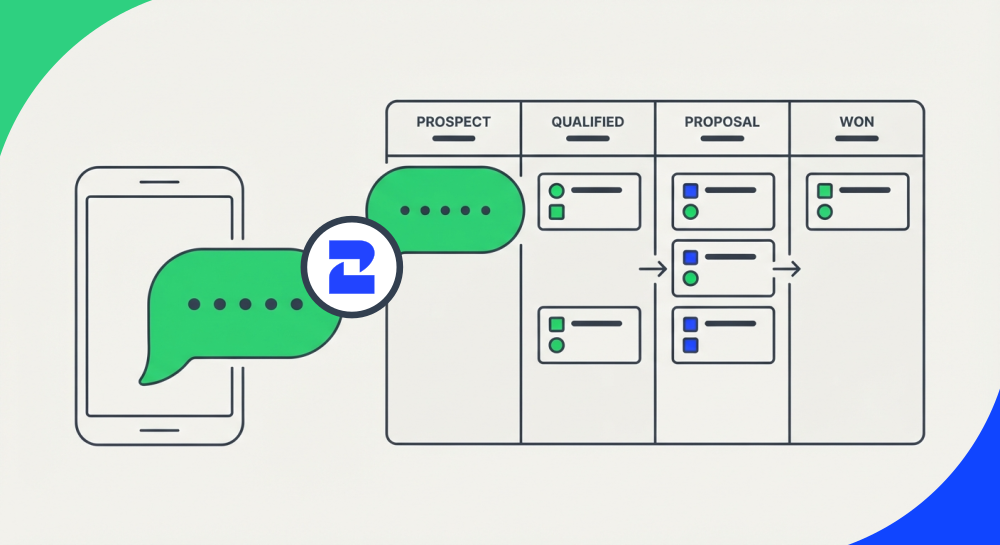
A customer messages your WhatsApp number asking about pricing. Someone on your team answers, sends a few details, and the conversation goes quiet — no note in the CRM, no follow-up task, no record that this person exists. Three weeks later, that same lead texts a competitor instead. That's not a WhatsApp problem. That's a CRM problem happening inside WhatsApp.
If your sales or support team messages customers on WhatsApp but tracks deals somewhere else, you already know this pain. A real WhatsApp CRM integration — not a side chat app nobody checks — is what closes that gap. Here's how it actually works in practice.
What Is a WhatsApp CRM Integration, Exactly?
A CRM channel isn't defined by which app people are chatting in — it's defined by whether every conversation creates a record, gets assigned to someone, and moves a deal forward. Email checks that box because it's connected to your CRM. Most WhatsApp Business setups don't, because the number lives on someone's phone, disconnected from everything else.
A proper integration closes that gap: every inbound message becomes a contact or updates an existing one, conversations get logged automatically, and your team works from a shared inbox instead of a personal phone. WhatsApp starts behaving like the rest of your sales stack, not like a separate system nobody remembers to update.
Capturing Leads From WhatsApp Automatically
The first fix is the simplest one: stop relying on someone to manually copy a phone number and name into a spreadsheet. When a new contact messages your WhatsApp Business number, that message should trigger contact creation in your CRM on its own — no copy-paste, no "I'll add them later" that never happens.
This matters most for high-volume channels: a "click to WhatsApp" ad, a QR code on a storefront, a chat button on your pricing page. Every one of those is a lead source, and if the capture isn't automatic, you're losing a percentage of them to nothing more than human forgetfulness. 2Chat's AI agents can also qualify a lead with a couple of questions before it ever reaches a human, so your team only spends time on conversations worth having.
Syncing WhatsApp Conversations to Your CRM
Capturing the lead is only half the job — the conversation itself needs to live where your team already works. This is where the HubSpot WhatsApp integration does the heavy lifting: messages sync to the contact timeline in HubSpot automatically, so a rep opening a deal sees the full WhatsApp thread next to the emails and call notes, not in a separate app they have to check on their own.
2Chat is an official HubSpot App Partner, and that's worth mentioning because it's not a small detail — it means the integration is built and maintained to HubSpot's own standards, not a workaround that breaks with every CRM update. If your team already lives in HubSpot for pipeline and reporting, this is the difference between "we also use WhatsApp" and "WhatsApp is part of how we sell." (For a deeper look at the setup itself, see how 2Chat's official HubSpot partnership works.)
Assigning Conversations Without Losing Context
Once messages are flowing into a shared inbox, the next problem shows up fast: who answers what? Without assignment rules, two agents reply to the same customer, or a message sits unanswered because everyone assumes someone else has it.
A proper setup routes conversations to the right agent — by team, by product line, or by whoever's already talking to that contact — and keeps the full history visible when a conversation gets reassigned. Nobody should have to ask a customer to repeat themselves because the new agent can't see what was already said.
Tracking Deals From WhatsApp Activity
This is the part most WhatsApp setups skip entirely: connecting a conversation to an actual deal stage. If a lead asks for a quote over WhatsApp, that should move them to "quote sent" in your pipeline — the same way it would if the quote went out by email. Otherwise your CRM's reporting is quietly wrong, because a chunk of your real sales activity never gets recorded anywhere your manager can see it.
With WhatsApp synced into HubSpot (or another connected CRM), you can tag conversations to deals, set follow-up tasks straight from a chat, and see WhatsApp activity in the same pipeline view as everything else — instead of keeping a mental list of "who I need to follow up with on WhatsApp" that lives in nobody's head but yours. For lead-capture specifically, automating WhatsApp-to-HubSpot with AI covers that workflow in more detail.
Beyond HubSpot: Other CRMs You Can Connect
HubSpot isn't the only option. If your team runs on Zoho CRM, you can connect WhatsApp through Zapier with the same lead-capture and logging benefits. Agencies and local businesses using GoHighLevel as their all-in-one CRM can route WhatsApp conversations there directly. And if you don't need a full CRM yet, 2Chat can log WhatsApp conversations into an Airtable base as a lightweight mini-CRM — enough structure to stop losing leads without committing to a bigger platform.
Connect WhatsApp to Any CRM, No Code Required
If your CRM isn't HubSpot, Zoho, or GoHighLevel, you still don't need a developer to make this work. Zapier, Make, and n8n all connect directly to 2Chat, and each one can push new WhatsApp conversations, contacts, and messages straight into whatever CRM you already run — Salesforce, Pipedrive, Monday, or anything else with an app in those ecosystems. You build the workflow once in a visual, no-code editor (trigger: new WhatsApp message → action: create or update a CRM record), and from then on WhatsApp behaves like any other connected channel, without anyone touching a line of code.
Getting Started: A Short Checklist
- Connect your WhatsApp Business number to a shared inbox, not a personal phone.
- Turn on automatic contact creation for every new inbound message.
- Sync conversations to your CRM's contact timeline (HubSpot, Zoho, GoHighLevel, or Airtable).
- Set assignment rules so conversations route to the right person by default.
- Tag WhatsApp conversations to deal stages so your pipeline reflects what's actually happening.
- Layer in an AI agent for qualifying questions if your volume is high enough to justify it.
None of this requires ripping out your current CRM — it means finally connecting WhatsApp to it. See how 2Chat's HubSpot integration works or explore WhatsApp Business API features to get started.
FAQ
- Is WhatsApp CRM integration only useful for large sales teams?
No — even a two-person team benefits once leads stop getting lost between someone's personal phone and a spreadsheet nobody updates. The value scales with volume, but the basic problem exists at any size. - Do I need HubSpot specifically to make this work?
No. HubSpot has the most direct integration here, but Zoho, GoHighLevel, and lighter tools like Airtable can all connect to WhatsApp conversations depending on what your team already uses. - Will my team lose conversation history when a chat gets reassigned to a different agent?
Not if the CRM integration is set up correctly — the full thread should stay visible to whoever picks up the conversation next, so customers never have to repeat themselves. - Does this work with the free WhatsApp Business app, or do I need the API?
You need the WhatsApp Business API (also called WABA) to connect WhatsApp to a CRM at this level — the free app doesn't support this kind of integration. - Can I automate lead capture without losing the personal feel of WhatsApp conversations?
Yes — automation should handle the repetitive parts (logging, routing, tagging), while your team still writes and sends the actual replies. It's meant to remove busywork, not replace the conversation itself.