WhatsApp AI Agent: 8 Sales and Support Use Cases You Can Automate with Claude
See what a WhatsApp AI agent can actually do for sales and support: 8 real use cases, from lead qualification to SLA monitoring. No code required.

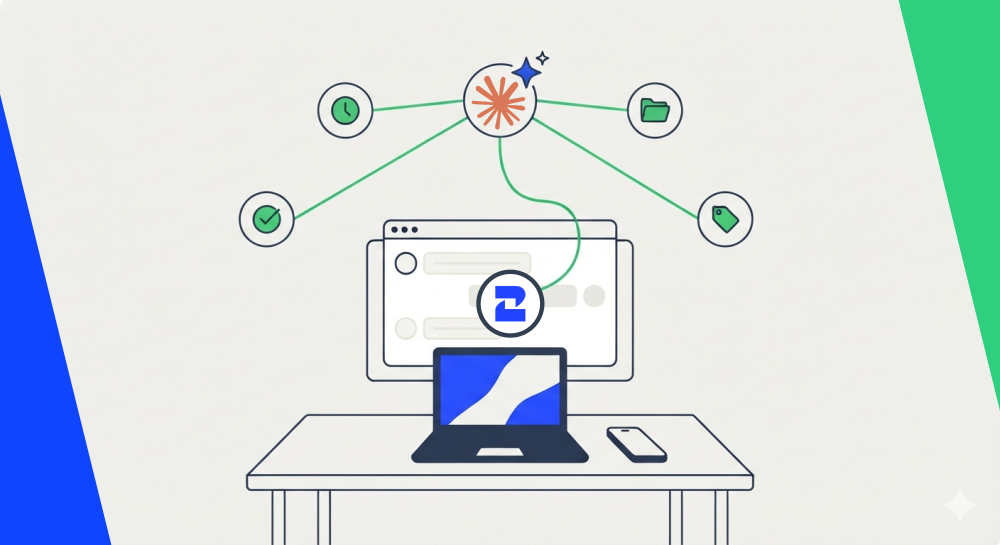
A WhatsApp AI agent is an assistant like Claude that can read and act on your WhatsApp conversations directly, qualifying a lead, checking a response time, or drafting a follow-up, instead of just replying with a script. Connected through 2Chat's MCP server, it turns your WhatsApp inbox into something an AI can actually work inside of. Here are eight concrete things it can do for a sales or support team today.
What Makes a WhatsApp AI Agent Different From a Chatbot
A rules-based chatbot follows a fixed decision tree: if the customer types X, send reply Y. It's useful for FAQs and order status updates, but it breaks the moment a conversation doesn't match the script.
A WhatsApp AI agent works differently. It reads the actual conversation, applies judgment (is this lead worth a follow-up? has this customer been waiting too long?), and only then decides what to do. If you want the technical version of how that connection works, our guide to MCP servers breaks down the protocol behind it. This post skips the protocol and goes straight to what it's actually good for.
1. Qualifying Inbound Leads While You Sleep
Someone messages your WhatsApp Business number at 11pm asking about pricing. By the time your sales team logs in the next morning, that lead has already messaged three competitors.
An AI agent can scan new conversations, score how likely each one is to close based on what they actually said (budget mentioned, urgency, specific product interest), and tag the contact so your team opens their laptop to a sorted list instead of a flat inbox. This is whatsapp lead qualification without someone manually reading every chat first, and if those leads need to land in your CRM afterward, this guide on automating WhatsApp lead capture to HubSpot covers that next step.
2. Recommending the Right Product From Your Catalog
A customer describes what they need in plain language, "something for a small apartment, budget around $200", and the agent checks your WhatsApp catalog for a match instead of sending a generic product list. If you've already built a catalog for other channels, this guide on moving a WhatsApp catalog to Shopify is worth a look before connecting it to an agent.
The agent drafts the recommendation and message, but doesn't send it on its own. That distinction matters more than it sounds: your team confirms the pitch before it goes out, so a bad product match never reaches a real customer.
3. Following Up on Leads That Went Quiet
A prospect asked three good questions, then disappeared. Most sales teams either forget to follow up or send the same generic "just checking in" message to everyone.
An AI agent can flag conversations that went cold after real interest was shown, then draft a follow-up that references what the person actually asked about. Outside the 24-hour window Meta gives you for free-form replies, it uses an approved WhatsApp Business API template instead, so the re-engagement message still reaches the person. This guide on capturing leads after hours covers the other half of this problem: catching leads before they go quiet in the first place.
4. Triaging Unanswered Messages Before They Become Lost Sales
Every growing WhatsApp inbox has the same failure mode: messages that get buried under newer ones and never get a reply. A billing question sits next to a sales inquiry next to someone asking for support, and by the time anyone scrolls back, three days have passed.
An AI agent can scan for unanswered messages and classify them (urgent, sales lead, billing, complaint, general question), so your team works through a prioritized list instead of guessing which chat to open next. The messages that mention money or frustration surface first.
5. Watching Your Response Time Before It Becomes a Problem
WhatsApp response time is one of those metrics everyone assumes is fine until a customer complains publicly. An agent can measure how long conversations sit before someone replies, flag the ones that breached your target, and summarize it by day or by agent.
This isn't about punishing slow responses. It's about catching the pattern, say, every conversation that comes in after 6pm waits until morning, before it turns into a reputation problem.
6. Managing WhatsApp Business API Templates Without the Back-and-Forth
Anyone who has submitted a WhatsApp Business API template for Meta's approval knows the process is picky about formatting and wording. An AI agent can draft a template, check it against Meta's common rejection reasons, estimate what it'll cost to send, and keep your local list of templates in sync with what's actually approved, so you're not guessing whether a template went live.
7. Turning Long Conversations Into a Handoff Note
When a conversation moves from a chatbot to a human agent, or from one team member to another, the customer shouldn't have to repeat their whole story. An AI agent can read a long WhatsApp thread and produce a short summary with what the customer wants and what's already been tried, ready to log straight into your CRM. If your CRM setup isn't there yet, our WhatsApp CRM integration guide walks through connecting WhatsApp conversations to the tools your team already uses.
8. Keeping WhatsApp Groups and Communities Healthy
If your business runs WhatsApp groups, resellers, customers, an internal team, an AI agent can do the parts nobody has time for: a health report on which groups have gone quiet, a daily digest of what was discussed (and which questions nobody answered), and announcements sent with basic frequency checks so the same group doesn't get three promos in one day. If you haven't set up groups yet, 2Chat's WhatsApp groups feature covers creating, managing, and messaging them at scale before you connect an agent on top.
Why This Doesn't Feel Like Handing Over the Keys
The concern with any AI agent that touches customer conversations is the same: what if it sends something wrong? The setup that makes these eight use cases usable in practice is a straightforward rule: read-only actions, like checking response times or scanning for unanswered messages, run automatically. Anything that sends a message, a template, or a broadcast waits for a person to say yes first.
That's a meaningful difference from "full automation." Your team still reviews the follow-up message, the product pitch, the broadcast copy, before any of it reaches a customer. The agent does the reading, the drafting, and the sorting. A person still decides what actually goes out.
How to Set This Up
None of this requires custom development. You'll need a 2Chat account connected through the MCP server to an AI client like Claude, then a plugin that packages these workflows as ready-to-use skills, the technical term for a defined task an AI agent knows how to carry out consistently. Installing the plugin in Claude Desktop takes three steps:
- Download the plugin file from its GitHub repository.
- Open Claude Desktop and go to Settings → Customize → Plugins.
- Upload the file you downloaded.
Once it's installed, you ask for what you need in plain language ("check unanswered whatsapp messages from today") instead of clicking through a dashboard. If you'd rather build some of these flows visually first, 2Chat's conversational commerce flow builder covers that without code. If you want to go further and connect your own systems, the developer docs cover the full API behind all of this, and the WhatsApp Business API feature page covers what's needed on the WhatsApp side.
Try It on Your Own WhatsApp Number
Start with one use case, unanswered message triage or lead qualification tend to show value fastest, before turning on all eight. Connect 2Chat's MCP server to Claude and try it on your own WhatsApp number today. 2Chat offers a free trial, so you can see what a WhatsApp AI agent already does with the conversations you have, before committing to a plan.
FAQ
- What's the difference between a WhatsApp AI agent and a chatbot?
A chatbot follows a fixed script and breaks outside of it. An AI agent reads the actual conversation, applies judgment, and can carry out a task like qualifying a lead or drafting a follow-up based on what was actually said. - Can a WhatsApp AI agent send messages without approval?
Not by default in a setup built with safety in mind. Read-only actions like checking response times run on their own, but anything that sends a message, template, or broadcast should wait for a person to confirm first. - Do I need to code anything to set this up?
No. Connecting 2Chat's MCP server to an AI client like Claude and installing a plugin of pre-built skills covers the use cases in this guide without custom development. - What happens outside the 24-hour messaging window?
Meta only allows free-form replies within 24 hours of the customer's last message. Outside that window, any message, including a follow-up or reminder, needs to go through an approved WhatsApp Business API template. - Is this only useful for large sales teams?
No. A one-person support inbox benefits from lead qualification and unanswered message triage just as much as a 20-person team, arguably more, since there's no one else to catch what falls through the cracks.