WhatsApp Automation for Small Business: What to Automate First (and What Not To)
WhatsApp automation for small business: a practical framework for what to automate first, what to leave human, and how to set it up. See how

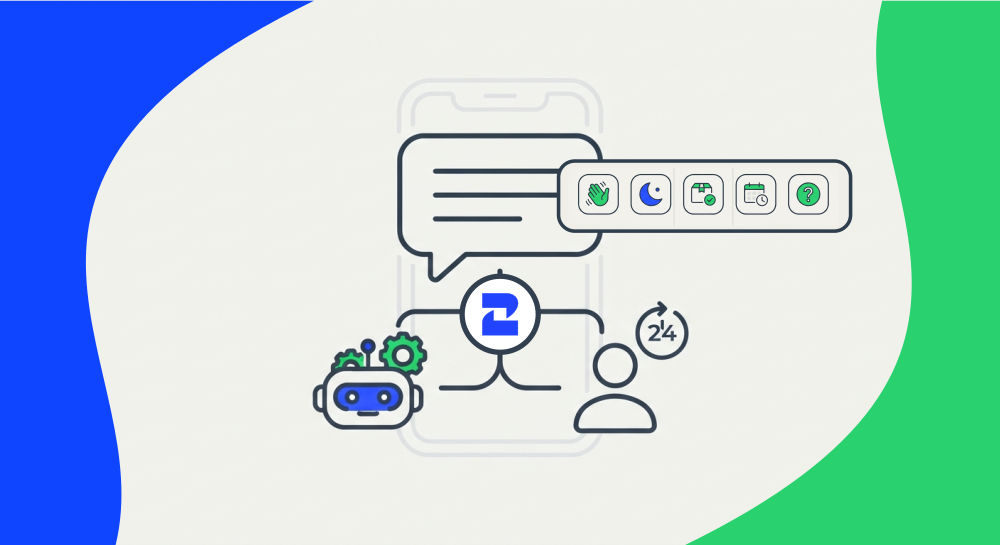
WhatsApp automation means using rules, triggers, or AI to handle parts of a conversation without a person typing the reply — greeting a new customer, confirming an order, or reminding someone about an appointment. Done right, it frees your team from repetitive messages. Done wrong, it makes customers feel like they're talking to a wall. This guide shows exactly which conversations to hand to automation first, which ones to keep human, and how to draw that line for your own business.
What Is WhatsApp Automation, Exactly?
WhatsApp automation covers any message your business sends or answers without a person actively writing it in real time: auto-replies, scheduled messages, chatbot flows, and AI agents that qualify leads or answer questions 24/7.
Most of it runs through the WABA (WhatsApp Business API), which is different from the free WhatsApp Business App. The API gives you programmable triggers, integrations with your CRM or spreadsheet, and the ability to run flows at scale — the app only offers basic greeting and away messages. That's the real dividing line in whatsapp business automation: the app handles a handful of fixed replies, the API handles conversations that branch, react to data, and escalate on their own.
Two rules from Meta shape everything you build:
- The 24-hour window. You can send free-form replies only within 24 hours of the customer's last message. Outside that window, you need a pre-approved template message.
- Template approval. Any message you send to start or restart a conversation (appointment reminders, order updates) must be a template Meta has reviewed and approved in advance.
Ignore these two rules and even a well-designed automation will stall or get flagged.
Stuck manually replying to the same greeting, FAQ, and order-status messages every day? 2Chat lets you automate the easy 80% and route the tricky 20% straight to your team. See how it works
A Simple Framework: Volume vs. Risk
Before automating anything, run it through two questions: how often does this conversation happen, and how much does it hurt you if the automated reply is wrong or feels cold?
- High volume, low emotional risk → automate it. Order confirmations, business hours, appointment reminders.
- Low volume, low emotional risk → automate if you have time, but it's not urgent. A one-off shipping question.
- Any volume, high emotional risk → keep it human. Complaints, refund disputes, anything involving money going wrong.
- High volume, high emotional risk → this is where most SMBs get automation wrong. Think returns during a sale spike. Automate the first response (acknowledge, collect details), then route to a person for the actual resolution.
That last category is the one worth sitting with. It's tempting to fully automate it because the volume is painful, but a bad automated reply to an angry customer does more damage than a slow human one.
5 Things to Automate First
These five are the highest-volume, lowest-risk conversations for most small businesses, and they're where automation pays off fastest.
- Greeting messages. The first reply a new contact gets sets the tone. An instant "Thanks for reaching out, here's how we can help" beats a 20-minute silence every time.
- Away-hours replies. When your team is offline, an automated message that captures the customer's name, need, and best time to call back keeps the lead warm instead of losing it to a competitor who answered faster. This walkthrough on capturing leads after hours shows one way to set it up.
- Order status updates. "Your order shipped" or "your order is ready for pickup" is pure information — there's no emotional nuance to get wrong, and customers actively want the update without having to ask. Here's a step-by-step build for automating order status on WhatsApp.
- Appointment reminders. Clinics, salons, and service businesses lose real revenue to no-shows. An automated reminder 24 hours before the appointment, with an easy way to confirm or reschedule, cuts that loss without needing a receptionist to call every client. This guide covers building an appointment booking flow.
- FAQ answers. Questions like "what are your hours" or "do you ship to my city" repeat dozens of times a week with the same answer every time. A simple FAQ bot handles these instantly and frees your team for conversations that actually need a person.
Notice what's missing from this list: broadcasts, promotions, and campaign blasts. That's on purpose. Whatsapp marketing automation — sending offers or announcements to a list — is a different discipline with its own opt-in and compliance rules, and it belongs in a separate playbook, not mixed in with operational automation like order updates and reminders.
Where Automation Hurts Customer Trust
Not every repetitive conversation should be automated just because it's repetitive. Watch for these signals that a conversation needs a human:
- The customer is already frustrated. A bot replying to someone who's upset reads as the business not caring, even if the information is technically correct.
- Money is being negotiated or refunded. Pricing exceptions, refund approvals, and payment disputes need judgment a flow can't apply.
- The question doesn't fit your templates. If a customer asks something outside your FAQ script, a bot that loops back to "I didn't understand that" erodes trust fast.
- It's a first-time complaint. How you handle someone's first bad experience shapes whether they come back. That moment deserves a person.
A good rule of thumb: automate the parts of the conversation that are purely informational, and route anything with a decision, an apology, or an exception to a human.
How to Keep a Human in the Loop
The businesses that get WhatsApp automation right don't choose between "automated" and "human" — they build a handoff between the two. When a flow reaches its limit (a question it can't answer, a keyword like "cancel" or "complaint," or simply too many back-and-forth messages), it should route the conversation to a shared team inbox with full context, so the customer never has to repeat themselves.
That handoff is a feature, not an afterthought — 2Chat's flow builder includes human handoff with assignment rules and internal notes, so your team picks up exactly where the automation left off.
Building It Without Code: Visual Flows
The best whatsapp automation tool for your business isn't necessarily the one with the most features — it's the one your team can actually build and maintain without a developer on call. That's worth checking before you commit to a platform.
You don't need a developer to set up the five automations above. 2Chat's visual flow editor lets you build automation based on triggers (new message, call received, someone joins a group), add conditions using more than 20 variables, and send timed, natural-feeling replies — all through a drag-and-drop interface.
If your automation needs to reach further — pulling order data from Shopify, updating a lead in your CRM, or triggering a Slack notification — you can connect it through n8n, Zapier, or Make instead of building custom code. And because everything runs on the WhatsApp Business API, the same flows scale from one number to a full team without switching tools.
A Small Business Example
Picture a small dental clinic — two dentists, one front-desk phone that never stops ringing. Before automation, the front desk answered the same three questions all day: hours, insurance, appointment confirmations. Real patient calls kept getting stuck behind that noise.
After setting up WhatsApp automation, an away-hours message and FAQ bot absorb the repetitive questions. An automated reminder goes out 24 hours before each appointment. And anything that mentions "pain," "emergency," or "cancel" routes straight to the front desk, no bot in between. The result isn't a fully automated clinic — it's a front desk that finally has time to actually talk to patients.
That split — not full automation, not zero automation — is what makes WhatsApp automation work for a small team without a dedicated support staff.
How to Measure Whether It's Working
Automation that looks efficient on paper can still be quietly annoying your customers. Before adding more of it, check three numbers:
- First-response time. If it didn't drop after automating greetings and away-hours replies, something in the flow is misfiring.
- Handoff rate. What percentage of automated conversations still need a human to finish them? A high rate isn't necessarily bad — it means the handoff is catching what it should. A rate near zero on a topic like complaints is a red flag that people are giving up instead of getting help.
- Opt-out or block rate. If customers are muting or blocking your number more than before, an automation is probably firing at the wrong moment or too often.
None of these require expensive analytics — most flow builders, including 2Chat's, log delivery and read status per message, which is enough to spot a flow that's misbehaving within the first week.
Ready to Automate the Right Conversations?
Start with the five automations in this guide, measure what changes, and add more only where the volume justifies it. Explore 2Chat's flow builder to set up your first automated reply, or check the WhatsApp Business API features if you're ready to scale beyond the basics.
FAQ
- Is WhatsApp automation allowed by Meta?
Yes. Meta explicitly supports automated messaging through the WhatsApp Business API, as long as you follow the 24-hour messaging window and use approved templates for messages sent outside it. - Do I need to know how to code to automate WhatsApp?
No. Visual flow builders like 2Chat's let you set up triggers, conditions, and replies without writing code. Coding only becomes useful if you need to connect WhatsApp to a custom internal system. - What's the difference between the WhatsApp Business App and the API for automation?
The free app offers basic greeting and away messages only. The WhatsApp Business API (WABA) supports triggers, integrations, conditional logic, and AI agents — everything covered in this guide. - Will customers notice they're talking to a bot?
Often, yes — and that's fine as long as the bot is fast, useful, and hands off to a human the moment the conversation needs judgment. The problem isn't that customers know it's automated; it's when the automation can't solve their problem. - How much of my WhatsApp business account should be automated?
There's no fixed percentage. Start with the highest-volume, lowest-risk conversations (hours, order status, reminders), and only expand automation to areas where you've confirmed it doesn't hurt customer trust.