The Small Business Guide to Choosing a Virtual Phone System (Without Overpaying)
A virtual phone system for small business gives you pro calling plus WhatsApp in one tool. See costs, options and how to pick.

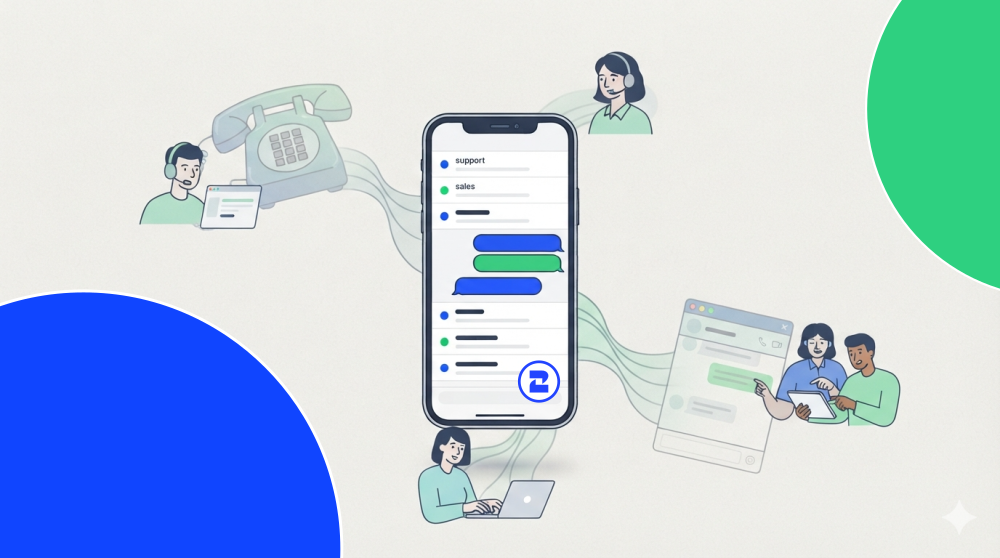
You're running a business off your personal cell number. Customers text it, call it at 9pm, and there's no way to tell who's a lead and who's your mechanic. Meanwhile your teammate has their number on the invoices too, so nobody actually owns the conversation.
That's usually the moment people start searching for a virtual phone system for small business. Not because they want new tech, but because the current setup is leaking leads.
This guide covers what a virtual phone system actually does, who needs one, what it should cost, and how to decide between a traditional VoIP setup and a WhatsApp-native approach. By the end you'll know which option fits your team, not just which one has the flashiest homepage.
What a virtual phone system actually does for a small business
A virtual phone system is a business phone system that runs over the internet instead of copper lines or a SIM card. You get business numbers, call routing, voicemail, and often texting, all managed from an app, not a desk phone.
The practical payoff for a small team looks like this:
- One number, many people. Calls and messages route to whoever's available instead of dying in one person's inbox.
- Separation of work and personal. Your cell stays yours. The business line lives in an app.
- A record of everything. Who called, what was said, what's still open, visible to the team, not trapped on one phone.
- Numbers on demand. Add a local number for a new city or a second product line in minutes.
If you want the full feature list before deciding, 2Chat's features page lays out routing, shared inboxes, and automation in one place.
Do you actually need one? A 30-second check
Not every business needs to switch. Run through this checklist. If you tick three or more, a virtual system will pay for itself fast.
- Leads reach you on a personal number
- More than one person answers customer calls or texts
- You've missed or forgotten a lead because it sat in someone's phone
- You sell in more than one city, region, or country
- Customers message you on WhatsApp and you're juggling it manually
- You want call and message history you can actually search
A solo freelancer with ten calls a week probably doesn't need this yet. A three-person sales team losing track of who followed up? Different story.
Virtual phone system vs traditional landline
The virtual phone system vs traditional landline comparison isn't really close for most small businesses anymore, but the reasons matter.
A landline still makes sense in a few cases: a single fixed storefront, spotty internet, or industries with strict line requirements. Outside of that, you're paying more for less flexibility.
How much does a virtual phone system cost?
The honest answer to how much does a virtual phone system cost is: it depends on how they charge you. Most providers price per user per month, then bolt on extras.
Here's the general shape of the market (always confirm current pricing, since plans change often):
- Entry plans: roughly $10–$50 per user per month for calling, texting, and basic routing.
- Numbers priced by location: the cost of a number depends on the country and region. A local number in one market can be a few dollars a month, while another market runs noticeably higher. In some providers like 2Chat some plans include a virtual phone number in selected locations.
- Per-minute rates by destination: calls are usually billed by the minute, and the rate depends on where you're calling. A local call is cheap; some international destinations cost several times more.
- Extra numbers: often a per-number monthly add-on when you add markets or product lines.
- Add-ons: transcription, analytics, and integrations frequently sit behind higher tiers.
The trap for small teams isn't the base price. It's running two tools. A VoIP system for calls, plus a separate WhatsApp tool for messaging, means two subscriptions and two places to miss a customer.
You can see how 2Chat bundles calling and WhatsApp into one plan on the pricing page. It's worth comparing against your current stack line by line
Best virtual phone number app for small business: what to compare
There's no single best virtual phone number app for small business. There's the one that fits your channels. Here's an honest read on the common options.
The pattern: RingCentral wins on depth for larger operations, Grasshopper and Google Voice win on simplicity and price for US-only, phone-first businesses. Where they all fall short is WhatsApp, and for a huge share of small businesses, especially outside the US, WhatsApp is the phone system.
Price and features updated at 2026-07-26
If a straightforward set of numbers is all you need, start with virtual phone numbers and grow from there.
Why a WhatsApp-native approach changes the math
Here's the shift most buying guides miss. If your customers already message you on WhatsApp, a virtual business phone number with WhatsApp isn't a nice-to-have. It collapses two tools into one.
Instead of a VoIP app for calls and a separate inbox for WhatsApp, one number handles both. Your team sees calls and chats in the same place. A lead who texts, then calls, then texts again is one thread, not three disconnected events.
That's the core of what 2Chat does: a programmable phone system where the WhatsApp Business number and the calling line are the same operation. Fewer tools, fewer missed handoffs, one bill instead of two.
You can set up your WhatsApp-connected phone system here and route your first number in an afternoon.
How to decide your next step
Skip the feature-matrix paralysis. Answer three questions:
- Where do your customers actually reach you: calls, texts or WhatsApp? Buy for that channel, not the one a vendor pushes.
- How many people need to see the conversation? One person = simple line. A team = shared inbox and routing.
- Are you paying for two tools that could be one? Add up your calling and messaging subscriptions before comparing.
If most of your customer contact runs through WhatsApp, the decision is close to made: a WhatsApp-native virtual phone system removes the second tool and the second bill. Line it up against your current setup on the pricing page, and if the numbers work, spin up your first line and route a real call through it. That test tells you more than any comparison table.
FAQ
- What is a virtual phone system for a small business?
It's a business phone system that runs over the internet instead of physical lines. You get business numbers, call routing, voicemail, and often texting or WhatsApp, all from an app. It separates work from your personal cell and lets a team share one number. - How much does a virtual phone system cost?
Most providers charge per user per month, commonly $10–$50 for base calling and texting, plus extras: numbers priced by location and per-minute rates that vary by destination. Price differences usually track features like shared inboxes, call routing, automations, WhatsApp Business, and call recordings. Compare those against the pricing tiers in 2Chat to see what you actually get at each level. - Is a virtual phone system better than a traditional landline?
For most small and distributed teams, yes: it's faster to set up, works anywhere, adds numbers instantly, and keeps searchable records. A landline can still fit a single fixed location or areas with unreliable internet. - Can I get a virtual business phone number with WhatsApp?
Yes. A WhatsApp-native system ties your WhatsApp Business number to your calling line, so calls and chats live in one place. It's ideal when WhatsApp is already how your customers reach you, and it removes the need for a separate messaging tool.