WhatsApp Business API: What It Is and How to Get Access Through 2Chat
Get the WhatsApp Business API through 2Chat: automate replies, run bulk campaigns, and keep your number without touching WhatsApp Web.

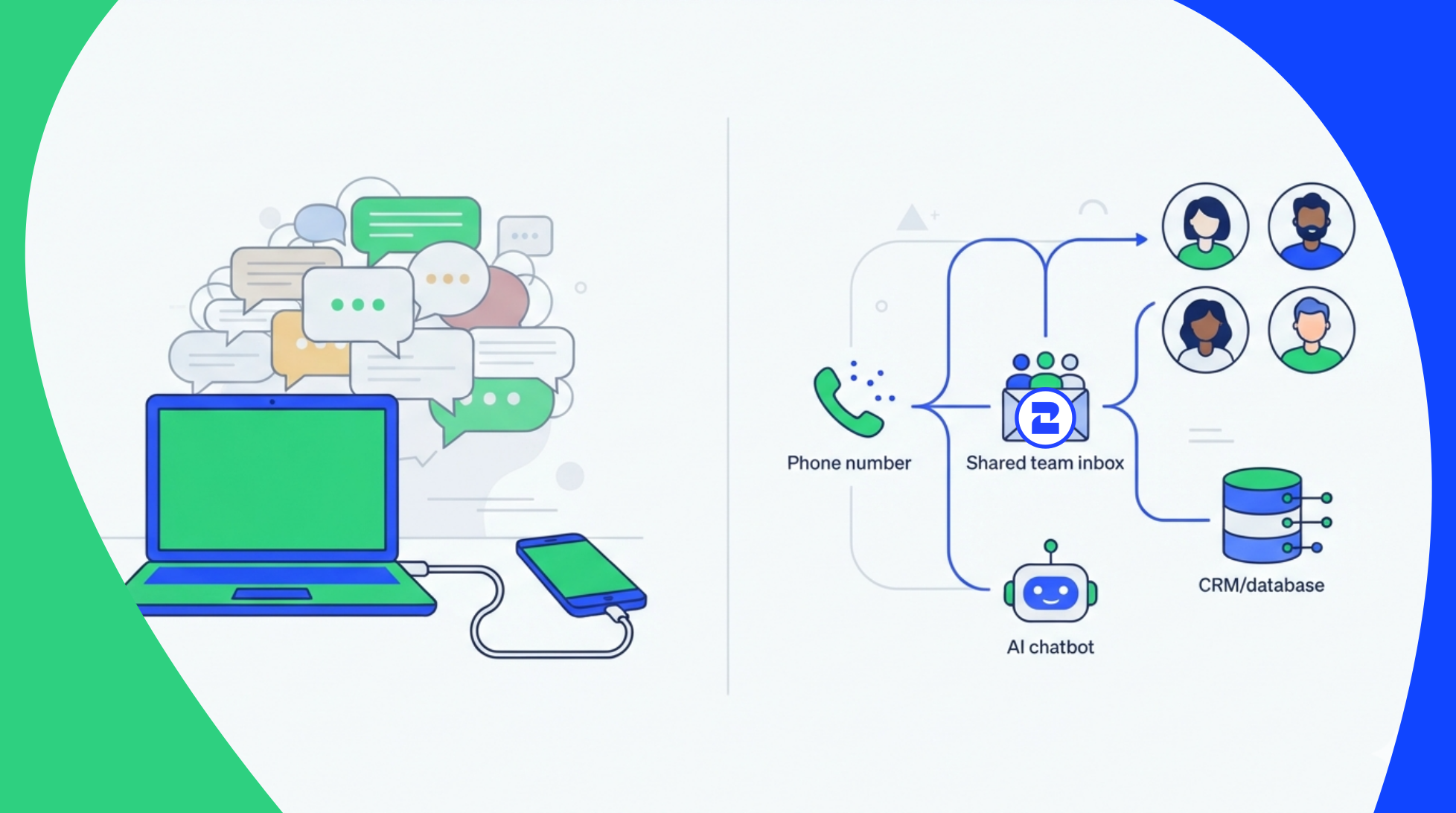
You've been running your business through WhatsApp Web for months. It works, until your team grows past two people and everyone needs the login for the same browser tab.
That's usually the moment someone searches for "WhatsApp Business API" and lands on a wall of Meta documentation, BSP acronyms, and pricing pages that never say what anything actually costs.
This post skips that part. Here's what the API is, how it's different from the WhatsApp Web tab you probably have open right now, and how to get access through 2Chat without hiring a developer or waiting weeks for Meta to approve you.
What Is the WhatsApp Business API, Exactly?
The WhatsApp Business API isn't an app you download. It's a set of endpoints Meta exposes to approved providers, which businesses use to send and receive messages programmatically, connect multiple agents to one number, and automate conversations.
You don't talk to Meta directly to get it. You go through a provider, sometimes called a BSP (Business Solution Provider), that handles the Meta approval, the infrastructure, and usually a dashboard on top so you're not writing raw API calls yourself.
Compare that to WhatsApp Web, which just mirrors your phone's app in a browser. One number, one active login, no automation, no way to plug it into a CRM.
Why Teams Outgrow WhatsApp Web
WhatsApp Web works fine for one person handling a manageable inbox. It stops working the moment any of these show up:
- Two or more people need to reply from the same number at the same time
- You want auto-replies outside business hours instead of leaving people on read
- You need to send more than a handful of messages without your number getting flagged
- Someone asks for a record of who said what to which customer
- You want the WhatsApp inbox connected to your CRM or helpdesk instead of living on its own
None of that is a WhatsApp Web problem you can fix with a workaround. It's the ceiling of the tool.
2Chat as a WhatsApp Business API Provider
2Chat works as a WhatsApp Business API provider, which means you get API access without going through Meta's approval process solo or building your own infrastructure.
In practice: you keep your existing WhatsApp number, connect it through 2Chat, and your team gets a shared inbox, automation rules, and API access on top. If you don't have a business number yet, 2Chat's phone system lets you get one provisioned and connected in the same flow instead of dealing with a separate carrier.
What Actually Changes Once You're on the API
A few things become possible that WhatsApp Web can't do at all:
- Automated replies and chatbots that handle FAQs, qualify leads, or route conversations before a human ever sees them
- Bulk campaigns sent to opted-in contact lists without manually messaging one at a time, through WhatsApp marketing campaigns
- A shared inbox so your sales, support, and marketing teams work off the same number without stepping on each other
- Integrations with the CRM or helpdesk you already use, so WhatsApp conversations stop living in a silo
WhatsApp Web vs. Business App vs. Business API
If you're still in the left column, the API is probably overkill. If you're in the middle column and hitting its ceiling, it's time to move.
For a deeper breakdown of these three products, see what's the difference between WhatsApp, WhatsApp Business, and WhatsApp Business API.
How to Get Access Through 2Chat
- Sign up on 2Chat and connect your existing WhatsApp number, or provision a new one through the phone system.
- Set up your shared inbox and add the team members who'll be responding.
- Build your first automation, a simple auto-reply or FAQ bot is enough to start.
- Import a contact list and send your first bulk campaign to people who've opted in.
- Connect your CRM or the tools you already use through the API or existing integrations.
Most of that takes an afternoon, not a dev sprint. For the exact click-by-click steps, check the guide on connecting WhatsApp Business API (WABA) to 2Chat.
Picking the Right WhatsApp Business API Provider
To be fair to the alternatives: if you're a large enterprise with your own engineering team and you need to build custom telephony infrastructure from scratch, a provider like Twilio gives you more raw control at the API level, at the cost of building most of the UI yourself.
2Chat is built for a different buyer, marketing, sales, and support teams who want the API's power (automation, bulk messaging, multi-agent access) without hiring engineers to wire it together. If that's you, the setup above should get you running today.
Start with 2Chat and connect your number, or check the full WhatsApp Business API feature set first if you want to see what's included before signing up.
FAQ
- Is the WhatsApp Business API free?
The API itself has no flat license fee from Meta, but you pay per conversation once you exceed the free tier, plus your provider's fee. 2Chat bundles provider access into its plans, so check current pricing on the site for exact numbers. - Do I need a developer to use the WhatsApp Business API?
Not with a provider like 2Chat. The raw API requires coding, but 2Chat wraps it in a dashboard for inbox management, automation, and bulk sending, so non-technical teams can run it without writing code. - Can I keep my current WhatsApp number when switching to the API?
Yes. Most providers, including 2Chat, let you migrate an existing WhatsApp number to the Business API instead of forcing you to start with a new one. - What's the difference between WhatsApp Business API and WhatsApp Web?
WhatsApp Web mirrors your phone's app for one person to use manually. The Business API is a programmable backend that supports automation, multiple agents, bulk messaging, and CRM integration, none of which WhatsApp Web can do.