How to Get an Online WhatsApp Number Without Using Your Personal SIM
Need an online WhatsApp number for your business? Here's how virtual numbers work, what they cost, and how to set one up in minutes.

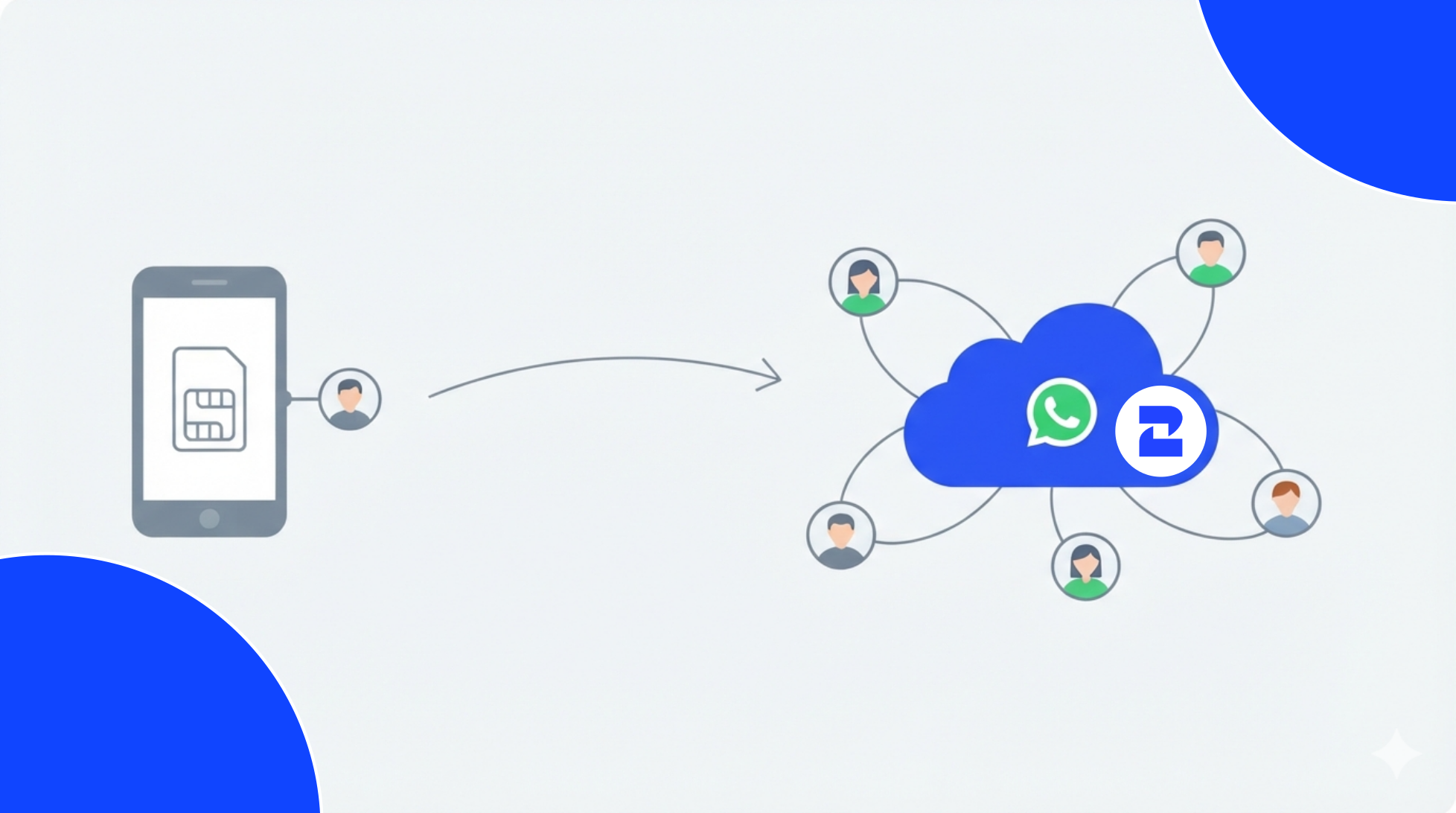
Imagine a support team of four, all forwarding customer messages to whoever's phone happens to be free. One agent goes on vacation, and suddenly nobody can see the conversation she was having with a customer about a refund. That's the moment a lot of teams realize their WhatsApp setup was never built to scale past one person.
That's usually when "online WhatsApp number" shows up in the search bar, a number that lives online, gets managed by the company instead of an individual, and doesn't disappear when someone logs off for the weekend.
There's a wrinkle, though: "online WhatsApp number," "virtual number," and "WhatsApp Business number" all sound like the same thing, and they get used that way constantly. They're related, not identical. Here's the difference, and here's how to actually set one up.
What an Online WhatsApp Number Looks Like in Practice
Take that same four-person support team. Instead of one agent's personal cell being the bottleneck, they connect a single cloud-hosted number to WhatsApp Business API. Now all four log into one shared inbox. When the agent who was handling that refund conversation goes on vacation, her teammate opens the thread and picks up exactly where she left off, nothing lost.
That's the practical difference an online WhatsApp number makes. The number belongs to the company, so a departing employee never takes the customer relationship with them. A shared inbox means the whole team works from one line instead of five disconnected phones. And because you can pick a number from almost any country, a business based in Miami can have a number that looks local to a customer in Bogotá.
Personal SIM vs. Online Number: A Real Comparison
Say a freelance photographer messages twelve clients a month from her personal WhatsApp, that setup works fine for her, no reason to change it. Now compare that to a ten-person sales team fielding two hundred inbound messages a day. Wildly different needs.
The line between the two isn't about company size, it's about whether more than one person needs to touch the conversation.
The Actual Steps to Getting One
Here's how it plays out on 2Chat's Virtual Numbers system, the way a team setting this up for the first time would go through it:
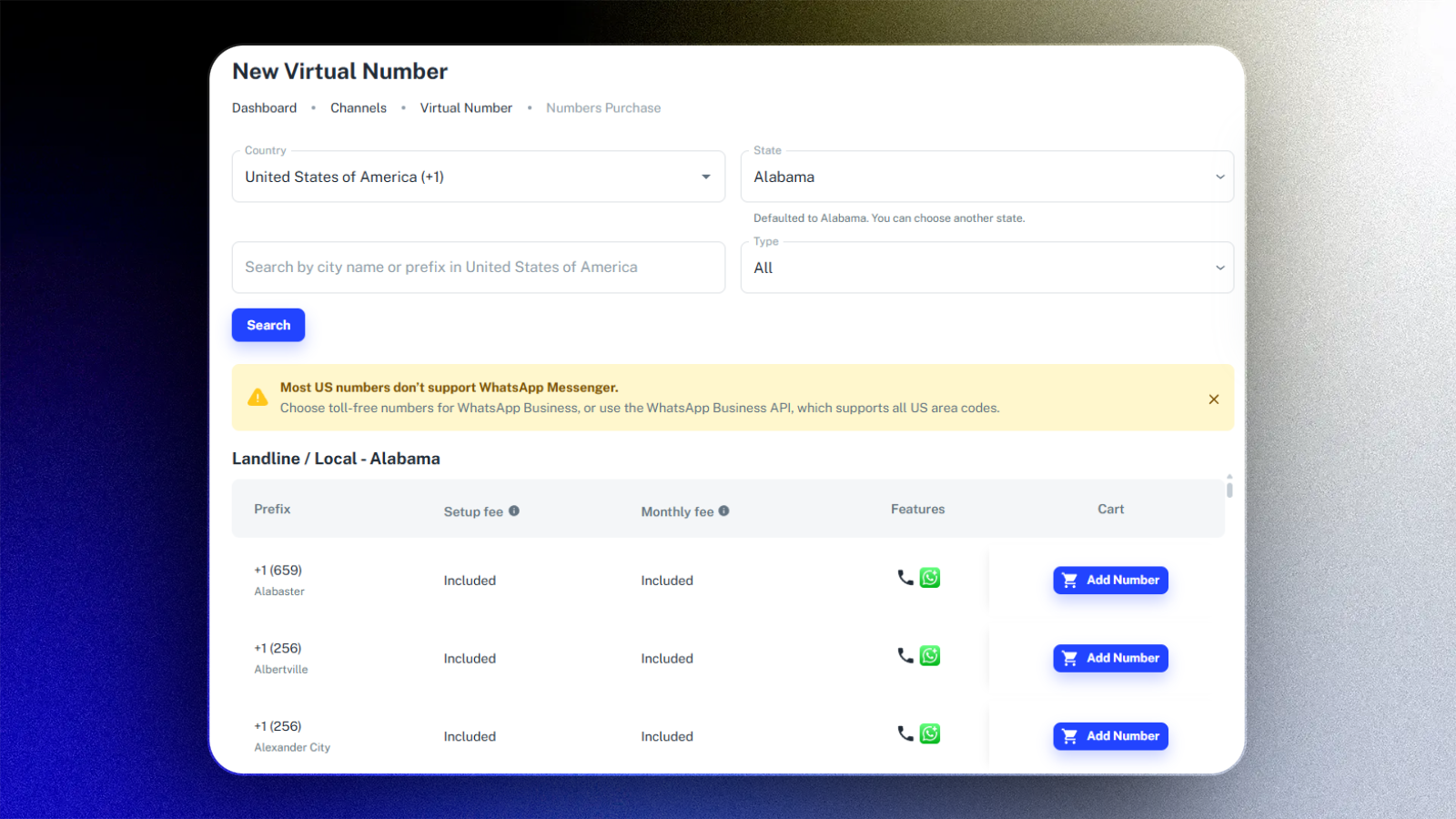
- Start with an active subscription. You need a paid plan before purchasing is even an option, 2Chat's pricing breaks down which tier matches your team size.
- Head to Channels, then Virtual Number. This is where numbers get requested.
- Choose the country. A team targeting a specific city can narrow further by area code.
- Pick the number type. Mobile, landline, toll-free, or shared-cost, depending on what the country offers.
- Check the regulatory requirements before paying. Some countries won't activate a business number without documentation submitted first, that four-person support team once lost a week waiting on this, which is exactly why it's step five and not an afterthought.
- Complete the purchase. The number is assigned automatically, and connecting it to WhatsApp takes just a few minutes.
The Checklist Worth Running Before You Commit
- Does the country match where customers actually are, not where the office is?
- Mobile (personal feel) or toll-free/shared-cost (built for support volume)?
- Regulatory paperwork for that country, confirmed?
- Will more than one teammate be replying?
- Does it need to connect to a bot or CRM, or is manual enough for now?
That sales team fielding two hundred messages a day? They needed the fifth box checked, manual replying wasn't sustainable past week one. If that sounds familiar, look at the WhatsApp API features before locking in a plan.
What the Price Actually Covers
Two costs get bundled together: leasing the number itself, and the platform fee for the inbox, automation, and however many seats your team needs. Every provider packages this differently, the number on the pricing page rarely tells the whole story.
Add a second agent to a number, and some platforms tack on an extra charge. Add API access, and there's often another line item. Before committing, look at what's actually included in each 2Chat plan, country availability, seats, automation limits. Those details decide which tier actually makes sense for a team your size.
Where Teams Usually Trip Up
- Wrong country, wrong impression. A US number texting customers in Mexico reads as an outsider, not a local business, the opposite of the intent.
- Skipping the regulatory step. Some countries simply block business messaging without the right paperwork on file, and that surfaces at the worst possible time — right before launch.
- Treating verification as instant. It usually isn't. Give it a few days of runway before anything time-sensitive.
- Never test-driving the shared inbox. Three agents replying from one line needs a dry run before real customers show up in the thread.
Deciding If This Is the Right Move
The freelance photographer from earlier? Her personal number still works fine, changing it would solve a problem she doesn't have. The support team of four juggling forwarded messages, on the other hand, had a real operational gap that no amount of discipline was going to fix on its own.
If your situation looks more like the second one, a virtual phone number is worth a look for your specific country and team size, setup runs a few minutes once you've settled on the number type and country.
FAQ
- Is an online WhatsApp number the same as WhatsApp Business?
No. WhatsApp Business is the app or API doing the messaging. The online number is the physical (well, virtual) phone number connected underneath it. Both pieces need to be in place. - Can I use one without a physical SIM card?
Yes. Everything, verification, sending, receiving, happens through the cloud, so a SIM card never comes into it. - How many people can use the same online WhatsApp number?However many your plan allows. Because the number sits in a shared inbox instead of one phone, multiple teammates can message from it at the same time, a personal WhatsApp account can't do that.
- Do other countries require special documents to buy a virtual number?
Some do. A handful of countries ask for regulatory paperwork before activating a number for business use, so it's worth confirming before you buy rather than after.